
Introduction
Artificial Intelligence has transformed the way we work, learn, and create content. Among AI tools, ChatGPT has become one of the most powerful assistants for writing, coding, research, marketing, education, and productivity. However, to get the best results, users need to understand how to use effective ChatGPT commands.
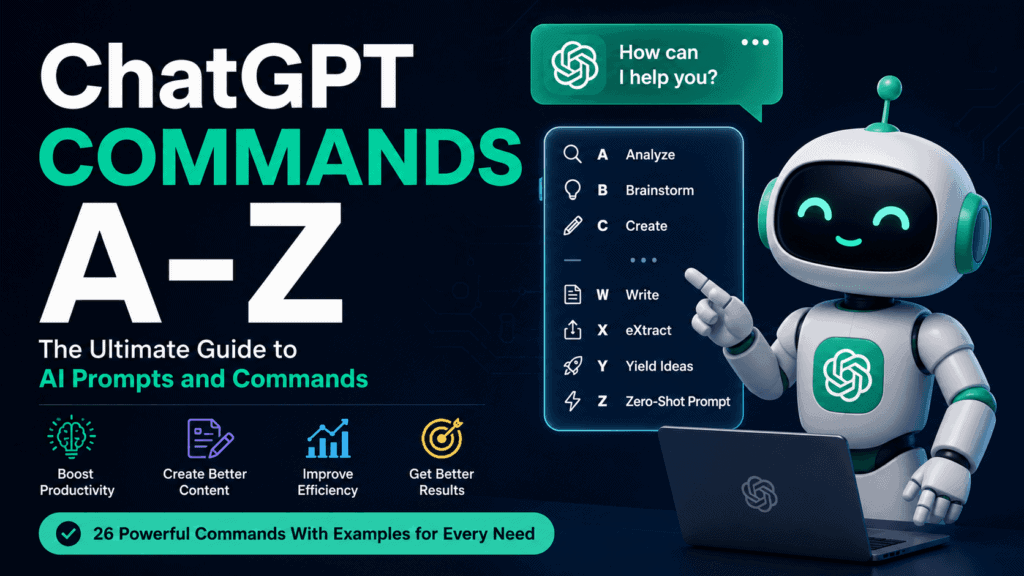
This comprehensive ChatGPT Commands A-Z Guide covers useful commands, shortcuts, and prompt examples for every letter of the alphabet. Whether you’re a student, blogger, marketer, developer, or business owner, these commands will help you maximize ChatGPT’s capabilities.
What Are ChatGPT Commands?
ChatGPT commands are instructions or prompts that tell the AI what task to perform. A well-structured command produces more accurate, relevant, and useful responses.
Example:
Instead of asking:
Write about SEO.
Use:
Act as an SEO expert and write a 1,000-word article about on-page SEO for beginners.
The second command provides context and produces better results.
150 ChatGPT Short Codes List Download
ChatGPT Commands A-Z
A — Analyze
Command:
Analyze this text and summarize the key points.
Use Cases:
- Content analysis
- Research summaries
- Document reviews
B — Brainstorm
Command:
Brainstorm 50 blog post ideas about digital marketing.
Use Cases:
- Content planning
- Business ideas
- Creative projects
C — Create
Command:
Create a social media content calendar for 30 days.
Use Cases:
- Marketing
- Planning
- Content creation
D — Draft
Command:
Draft a professional email requesting a meeting.
Use Cases:
- Business communication
- Email writing
- Formal letters
E — Explain
Command:
Explain blockchain technology in simple terms.
Use Cases:
- Learning
- Teaching
- Technical concepts
F — Fix
Command:
Fix the grammar and spelling mistakes in this article.
Use Cases:
- Proofreading
- Editing
- Content improvement
G — Generate
Command:
Generate 100 SEO keywords for a fitness website.
Use Cases:
- SEO
- Keyword research
- Content marketing
H — Humanize
Command:
Humanize this AI-generated text.
Use Cases:
- Blogging
- Marketing
- Website content
I — Improve
Command:
Improve the readability of this article.
Use Cases:
- Content optimization
- User engagement
- SEO
J — Justify
Command:
Justify why remote work increases productivity.
Use Cases:
- Essays
- Reports
- Academic writing
K — Keyword Research
Command:
Find long-tail keywords related to WordPress themes.
Use Cases:
- SEO
- Blogging
- Affiliate marketing
L — List
Command:
List the top 50 productivity tools for entrepreneurs.
Use Cases:
- Resource pages
- Comparisons
- Research
M — Modify
Command:
Modify this content for a younger audience.
Use Cases:
- Content repurposing
- Audience targeting
N — Name
Command:
Suggest 100 unique names for a YouTube channel.
Use Cases:
- Branding
- Startups
- Social media
O — Optimize
Command:
Optimize this article for the keyword “Free WordPress Themes.”
Use Cases:
- SEO
- Content marketing
- Blogging
P — Paraphrase
Command:
Paraphrase this paragraph without changing its meaning.
Use Cases:
- Academic writing
- Content rewriting
- SEO
Q — Question Generator
Command:
Generate 20 interview questions for a software developer.
Use Cases:
- Hiring
- Education
- Research
R — Rewrite
Command:
Rewrite this article in a professional tone.
Use Cases:
- Content refresh
- Website updates
- Marketing
S — Summarize
Command:
Summarize this 2,000-word article into 10 bullet points.
Use Cases:
- Research
- Study notes
- Quick reviews
T — Translate
Command:
Translate this content from English to Tamil.
Use Cases:
- Localization
- International audiences
U — Update
Command:
Update this blog post with the latest SEO trends.
Use Cases:
- Content maintenance
- SEO updates
V — Verify
Command:
Verify the factual accuracy of these statements.
Use Cases:
- Fact checking
- Research validation
W — Write
Command:
Write a 1,500-word article about AI in education.
Use Cases:
- Blogging
- Academic content
- Websites
X — eXtract
Command:
Extract all email addresses from this text.
Use Cases:
- Data processing
- Lead generation
Y — Yield Ideas
Command:
Yield 100 unique business ideas for 2026.
Use Cases:
- Entrepreneurship
- Innovation
- Startups
Z — Zero-Shot Prompt
Command:
Write a product description for a smartwatch.
Use Cases:
- Quick content creation
- E-commerce
- Marketing
PDF Download ChatGPT Short Codes – 100
Advanced ChatGPT Command Templates
SEO Command
Act as an SEO expert and write a comprehensive article targeting the keyword “[keyword]” with H1, H2, H3 headings, FAQs, and meta description.
Blogging Command
Act as a professional blogger and create a detailed article with examples and actionable tips.
Coding Command
Act as a senior software developer and provide clean, optimized code with explanations.
Marketing Command
Act as a digital marketing consultant and create a complete marketing strategy.
YouTube Command
Generate a YouTube title, description, hashtags, and keywords for the topic “[topic]”.
Benefits of Using ChatGPT Commands
- Faster content creation
- Improved productivity
- Better AI responses
- Enhanced SEO performance
- Streamlined workflows
- Improved learning experience
- Increased business efficiency
Best Practices for ChatGPT Commands
Be Specific
Detailed commands produce better results.
Provide Context
Tell ChatGPT who it should act as.
Define Output Format
Specify whether you want:
- Lists
- Tables
- Articles
- Emails
- Code
Include Constraints
Mention word count, tone, audience, and style.
Frequently Asked Questions
What are ChatGPT commands?
ChatGPT commands are prompts or instructions that guide ChatGPT to perform specific tasks such as writing, summarizing, coding, translating, and analyzing content.
Why are ChatGPT commands important?
They improve response quality, save time, and help users achieve more accurate results.
Can ChatGPT commands improve SEO?
Yes. SEO-focused commands can generate keyword-rich content, meta descriptions, FAQs, and optimized articles.
Are ChatGPT commands useful for businesses?
Absolutely. Businesses use them for marketing, customer support, content creation, data analysis, and automation.
Which ChatGPT command is most popular?
Commands like Write, Generate, Rewrite, Summarize, Analyze, and Optimize are among the most commonly used.
Conclusion
Mastering ChatGPT Commands A-Z can dramatically improve your productivity and help you unlock the full potential of AI. Whether you’re creating content, optimizing websites, writing code, conducting research, or managing a business, these commands provide a powerful framework for achieving better results.
Start using these A-Z ChatGPT commands today and experience faster, smarter, and more efficient AI-powered workflows.