
Category: Windows

Boost Your Efficiency: Top Computer Shortcut Keys for Everyday Use
Definition of Computer Shortcut Keys Computer shortcut keys, also known as keyboard shortcuts, are combinations of keys that provide quick access to a particular function within…

Effortlessly Bulk Resize Images in Windows 11: A Step-by-Step Guide
Bulk Resize Images in Windows 11 : Resizing images is an essential task in today’s digital world, whether for personal use, web design, or professional purposes.…
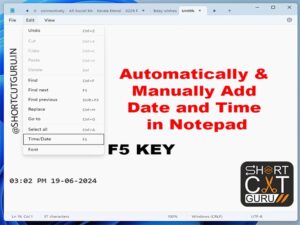
7 Ultimate Guide to Adding Date and Time in Notepad : Automatic vs. Manual Methods
Adding Date and Time in Notepad : In the digital age, keeping track of notes, logs, and updates is essential for productivity and organization. Notepad, a…

Never Lose a File Again: Recover Permanently Deleted Files in Windows 11
Recover Permanently Deleted Files in Windows 11 : In today’s digital age, our reliance on data is immense, making file recovery a crucial skill. Losing important…

Mastering Windows Screenshot Shortcut Keys: Essential Tips for Effortless Screen Capture
In today’s fast-paced digital world, capturing screenshots has become an essential task for many users. Whether you’re a student, professional, or simply someone who loves to…

Master Every Computer Shortcut Key from A to Z (26): Unlock Your Efficiency Today
Computer Shortcut Key from A to Z: Emphasizes the importance of efficiency in today’s digital world and highlights how mastering keyboard shortcuts can significantly increase productivity.…

Shortcut to Rotate Screen in Windows 11: Mastering Windows Shortcut Keys
Shortcut to Rotate Screen in Windows 11, the latest operating system from Microsoft, brings a host of new features and improvements, making it a preferred choice…

A to Z Shortcut Keys : Mastering Your Workflow in 2024 – Part 4
A to Z Shortcut Keys : Mastering Your Workflow in 2024S is for Ctrl + S: Saving a File Ctrl + S is a, A to…
A to Z Shortcut Keys : Mastering Your Workflow in 2024 – Part 3
A to Z computer shortcut key:M is for Ctrl + M: Indenting Paragraphs Ctrl + M is a A to Z computer shortcut key that indents…

A to Z Shortcut Keys : Mastering Your Workflow in 2024 – part 2
A to Z Keyboard shortcut keys Part – 2F is for Ctrl + F: Finding Text Ctrl + F is a must-know a to z keyboard…